

前言
公司AI Pass平台需要添加数据标注功能,但是自己实现一套数据标注功能的耗费太大,所以开发团队调研了一些市面上付费和开源的数据标注平台,最终选择了接入LabelU平台进行数据标注。
LabelU的前端 github仓库地址
因为这个项目是基于monorepo搭建的,在最外层目录通过pnpm install即可为所有的包安装依赖
1.依赖安装失败报错如下,
GET https://registry.npmjs.com/enhanced-resolve: request to https://registry.npmjs.com/enhanced-resolve failed, reason: connect ETIMEDOUT 104.16.28.34:443
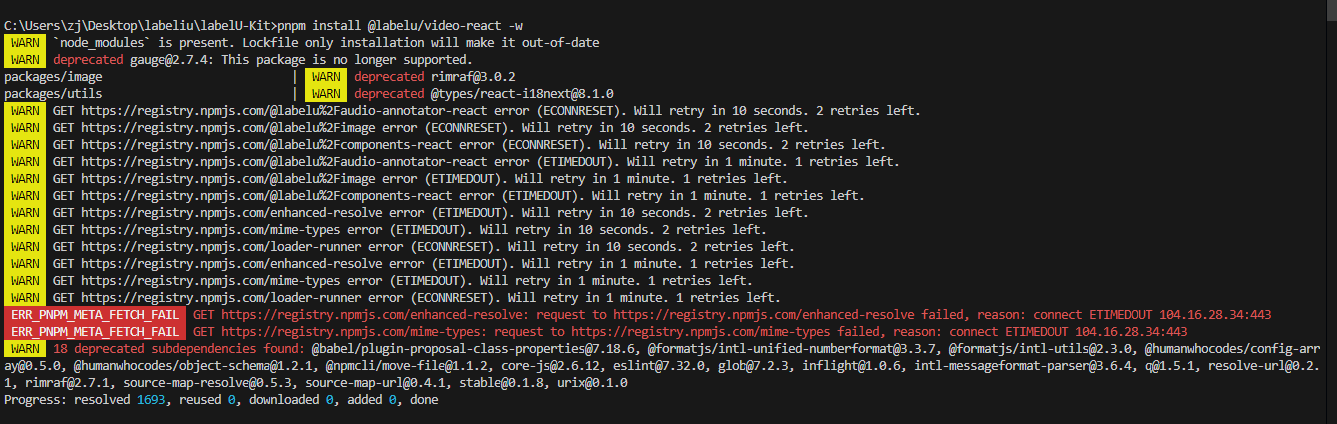
在根目录下的修改.npmrc文件的代理配置为淘宝镜像源
arch=x64
platform=linux
# 淘宝镜像源
registry=https://registry.npmjs.com
依赖安装失败报错如下,一堆红色的missing peer
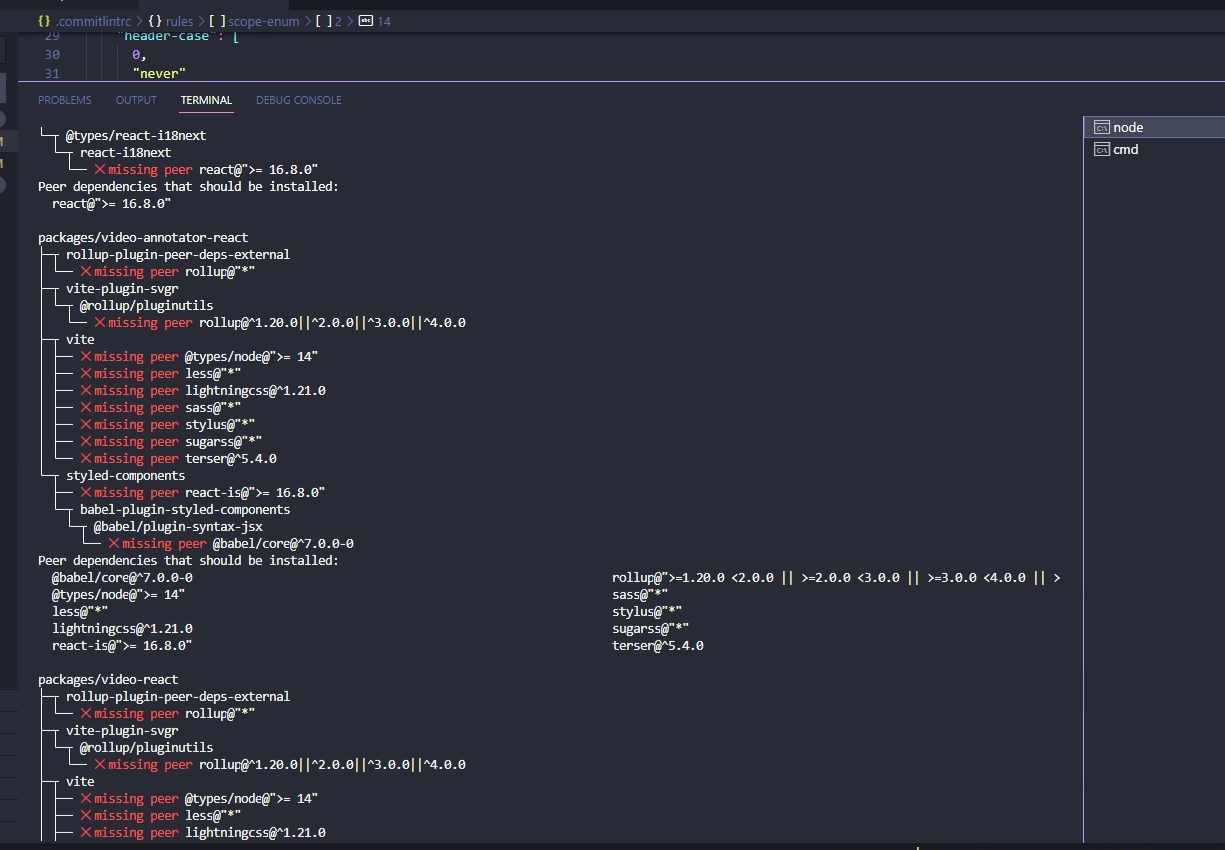
解决方法还是配置.npmrc文件
添加配置strict-peer-dependencies=false,禁用 npm 的严格同级依赖检查。 这意味着即使安装的包不满足其同级依赖的版本要求,npm 也会继续安装,而不会报错。
arch=x64
platform=linux
registry=https://registry.npmjs.com
# npm将会自动安装所有缺少的同级依赖,应该也可以,但是没尝试
auto-install-peers=true
# 忽略peer依赖
strict-peer-dependencies=false
# shamefully-hoist=true
提交代码报错 No staged files match any configured task
scope-enum规则用于定义 Git 提交信息中scope部分允许使用的值。scope用于指定提交影响的代码区域或模块。 通过配置scope-enum,你可以强制执行一致的 scope 使用,从而提高代码库的一致性和可维护性。
检查.commitlintrc文件,看提交的代码中有无下面配置中列表里列中的文件,不在这些文件中的就无法提交成功,需要自己将文件名或者目录添加进去
  "scope-enum": [
      2,
      "always",
      [
        "workspace",
        "website",
        "frontend",
        "components",
        "image",
        "formatter",
        "utils",
        "annotation",
        "components-react",
        "video-react",
        "audio-react",
        "interface",
        "video-annotator-react",
        "audio-annotator-react",
        "image-annotator-react"
      ]
    ],